
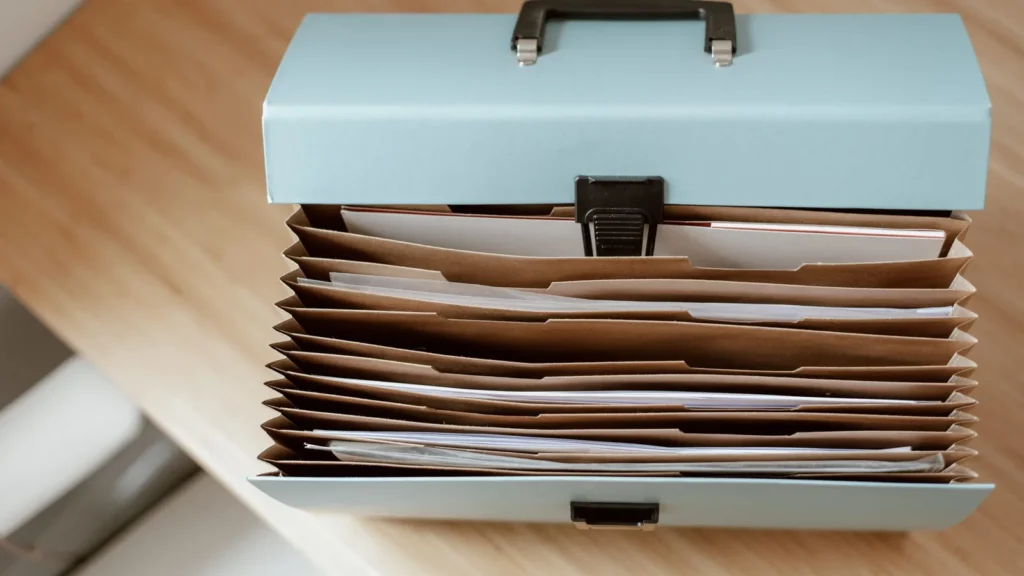
To organize paperwork at home, give incoming mail a private place for sorting, action and secure storage. Use a routine you can adapt; it cannot promise a permanently clear counter or replace document-retention advice.
Key takeawaysDecide these before you buy a single folder
- Sort papers into four possible destinations: recycle, action, records to keep or review, and a secure queue for papers eligible for shredding.
- Sort at a practical private location, and check urgent deadlines when papers arrive.
- Keep a manageable action folder; an overfull folder is a prompt to review tasks, not a reason to discard important papers.
- Schedule a regular review that suits the workload.
Why does paperwork pile up at home?
Paper can arrive faster than it gets sorted. Mail, school notices, receipts, bills, and forms land on the nearest flat surface, usually a counter or a table near the door. Each piece needs a small decision, and when that decision is delayed, the paper simply stays where it landed.
A catalog, a bank statement and a permission slip can look alike in a stack, even though they need different decisions. Without a review, a time-sensitive page can be overlooked.
Many homes also lack a clear place for papers to go. Important documents sit in a kitchen drawer, receipts end up in a bag, and warranties go missing. When nothing has a home, the counter becomes the default filing system, and the pile turns into a source of stress.
A one-time cleanup may not address new papers arriving later. A recurring routine can help you notice and handle them, though a backlog may still take time.
A repeatable flow can complement a cleanup. Give papers a suitable next step and keep action items in a known, private place. The rest of this guide offers a routine to adapt.
What are the four exits for every piece of paper?
These four destinations are a starting point. Sort at a convenient private location, check deadlines and keep uncertain papers until you can confirm what to do with them.
The first destination is recycling. After checking a page and confirming it is not needed, recycle it if it contains no sensitive information. Keep papers with personal details in a secure queue for destruction when eligible.
The second exit is secure shredding, but only after you have confirmed that a document need not be retained. Keep papers with personal, financial or health information in a secure queue until destruction; do not leave them in an exposed box near a shared doorway.
The third exit is the action folder. Bills to pay, forms to sign, and appointments to schedule go here. The fourth exit is the file, for records you are keeping or have not yet confirmed you can discard, such as relevant statements or warranties.
When you are unsure about a page, keep it securely and note what you need to check. Review it at the next suitable opportunity, sooner if a deadline requires it.
How to organize paperwork at home step by step
Set up a basic routine at your own pace, then work through any existing backlog in manageable sessions.
- Choose a practical sorting place without blocking an exit. Keep sensitive papers and the shred queue in secure storage rather than in an exposed box by the door.
- Use a clearly labeled action folder in a private, accessible location; a neutral label need not reveal the documents inside.
- Set up a file box or drawer with a small number of broad categories, such as home, money, health, and family.
- Sort today’s mail at your chosen private location and check time-sensitive items first.
- Gather existing papers into secure, manageable containers; check urgent items before setting the backlog aside.
- Work through the backlog in sessions that fit your workload, using the same destinations.
- Schedule a regular review and adjust its length to the work and deadlines.
- Review categories periodically and change them when doing so helps you find records.
Keep the file categories broad at first.
A few broad categories can be a useful starting point. Add or split categories when that makes your own records easier to find; keep sensitive information appropriately protected.
Try the routine and notice where it becomes awkward. Move supplies or simplify categories if useful, without compromising privacy or blocking an exit.
A securely stored backlog container can separate older papers from incoming work. Progress may vary; check deadlines and keep both groups protected.
How do you keep an action folder manageable?
Keep the action folder manageable and check it regularly. A thumb-thickness limit is only a visual prompt, not a reason to discard a record or a measure of whether someone is following the routine. Review the workload, deadlines and responsibilities if it becomes difficult to use.
Choose a folder that is easy for the responsible person to access while keeping private information out of view. A closed drawer or secure file can be appropriate; use a private calendar reminder if an out-of-sight folder is easy to forget.
A private reminder can help you return to an action folder kept out of view.
At each review, check deadlines and decide the next action. Complete what you can, file or securely destroy eligible papers, and note the next step for work that must wait. The folder does not need to be empty to show progress.
Keep a private reminder of due dates without displaying account numbers, health information or other sensitive details. Store action papers and the shred queue where visitors, children and shared-space users cannot access them inappropriately. Check urgent deadlines on arrival rather than waiting for your scheduled review.
If adults share paperwork responsibilities, agree who handles each task and what information may be shared. A shared action list can help, but private financial, medical or personal records may need separate secure storage. Do not inspect or discard another person’s records without permission.
What can you do in a short session?
If you have only a short session, check incoming papers at a private sorting spot. Identify urgent tasks and check any associated deadlines. Keep sensitive and uncertain papers secure until you can review them.
Then identify checked, unneeded papers without sensitive details for recycling. Envelopes and inserts can contain personal information, so inspect them before disposal.
Put time-sensitive papers in a secure action folder and record deadlines privately. A reminder helps, but it cannot guarantee that a deadline will not be missed.
A short session will not complete the system, but it can make the next step clearer.
What goes wrong with home paperwork systems?
One problem is an action folder becoming difficult to use as papers accumulate. If that happens, review the workload and keep sensitive pages secure.
Papers collecting outside the folder can prompt a review. Check urgent deadlines first and schedule another session as soon as practical.
Too many categories can make a system harder to use. If filing feels cumbersome, combine or rename categories while keeping records easy to find.

A sorting point can be near the entrance or elsewhere that suits your routine. Convenience matters, but it should not override privacy, child safety or a clear exit route. Keep a private reminder if papers need to move to a secure location.
A crowded file can prompt a retention review. For legal, tax, insurance or property records, check current official guidance or ask an appropriate adviser before deciding what can be securely discarded. Age alone is not a disposal rule.
How do you keep paper from piling up again?
Choose a regular review you can realistically maintain. Fifteen minutes is a starting suggestion, not enough time for every household or backlog. Check deadlines when papers arrive and prioritize urgent tasks rather than delaying them until the review.
Reduce what comes in, since the easiest paper to manage is paper that never arrives.
Unsubscribe from catalogs you do not want, switch statements to online delivery where you are comfortable, and ask schools or clubs for digital notices. That reduces the paper you need to sort, though electronic notices still need review and secure handling.
A yearly review is a reminder to check retention needs, not permission to shred records because they are old. The IRS explains that U.S. tax-record retention depends on the record and circumstances, and other legal, insurance or property needs may require keeping some records longer. Keep uncertain records pending appropriate advice.
This approach follows the SETS method, where sorting and editing come before any storage purchase. You can find more ideas for every room on the whole home hub, and the free 30-Day Home Reset walks through one space at a time.
Look for practical signs that the routine is helping: you can find a needed page, see the next deadline and keep sensitive records secure. A returning pile is a reason to adjust the process, not evidence that someone has failed.
Frequently asked questions
What is the best way to organize paperwork at home?
Use a practical private sorting spot and distinguish recycling, secure shredding, action and records to retain. Review the action folder regularly, check urgent deadlines on arrival, and confirm retention requirements before disposal.
How do I stop paper clutter from coming back?
Choose a regular sorting and review routine you can maintain, keep sensitive papers secure, and reduce unwanted mail when practical. A routine can help you notice new piles; it cannot guarantee that clutter or missed deadlines will never recur.
What supplies do I need to organize paperwork?
You need very little: a recycling bin, a secure queue for papers eligible for shredding, one action folder, and a file box or drawer with a few broad categories. A private reminder can help track deadlines. Start with those basics, and add more only if a real problem appears after a period of regular use.
How long should I keep important documents?
Retention depends on the record, jurisdiction and circumstances, not a yearly disposal rule. Consult current official guidance or an appropriate adviser, keep uncertain records, and check for other legal or insurance needs before securely destroying sensitive papers.
Should I go paperless at home?
Going partly paperless helps many households. Switching statements and notices to online delivery reduces what arrives at the door. Use secure access to your device and accounts, including strong unique passwords and multi-factor authentication where available. Back up files and check that you can restore them. Before relying on a scan or destroying an original, check the requirements for that document; retain uncertain originals.
Written by the SetsQuick Team. First published .
© SetsQuick. This article and its images may not be copied or republished without permission. To report reuse, see our DMCA page.
Was this guide helpful?
Save it for later or send it to someone